
Creative Operations
Building the Tools
Instead of Waiting for Them
A workflow innovation case study showing how custom plugins for After Effects, InDesign, and Illustrator can remove repetitive friction from creative production.
Creative Operations / Workflow Innovation / 2023 / Creative Technologist & Workflow Systems Designer
Context
Creative production often breaks down in the gap between the idea and the repeated execution. A concept may be clear, but teams lose time resizing, versioning, renaming, exporting, laying out, checking consistency, or repeating the same manual steps across multiple files. Daha's plugin and automation work began from inside that reality — not as abstract software development, but as a practical response to production friction he experienced as a hands-on creative.
The Challenge
The challenge was to translate creative pain points into usable tools. A plugin for a designer cannot feel like engineering software; it has to be simple, fast, familiar, and shaped around the way creative people actually work under deadlines. The tools needed to reduce repetition without taking control away from the maker.
The Role
Daha identified workflow gaps through direct creative practice, defined the tool logic, shaped the interface behavior, and built plugin concepts across After Effects, InDesign, and Illustrator workflows. His role connected creative direction, production knowledge, UX thinking, and automation — turning repeated manual actions into reusable systems.
The Insight
The key insight is that creative quality is often affected by invisible workflow pressure. When a designer is forced to spend energy on repetitive technical tasks, less energy remains for judgment, refinement, and storytelling. Better tools do not replace creativity; they protect it.
The Strategy
The strategy was to build tools from the maker's point of view. Instead of forcing a designer into a complicated software mindset, the plugins should feel like natural extensions of the creative process: clear controls, direct outcomes, fewer clicks, safer repetition, and less room for avoidable production errors.
The Execution
The work covers a set of small, single-purpose plugins and scripts for Adobe After Effects, InDesign, and Illustrator, each aimed at one recurring production step — resizing and re-exporting layouts across formats, batch renaming and version-tracking files, and checking consistency across a set of assets. Each tool was scoped to fit inside a live production pipeline rather than built as a standalone product: small enough to trust, fast enough to use without breaking focus, and shaped directly from where a deadline actually slows down.
Evidence / Visual System
The tools are real and in active or prior production use; the plates below are placeheld until real screenshots and diagrams are ready for public listing.
Visual evidence pending — concept plates are marked clearly.
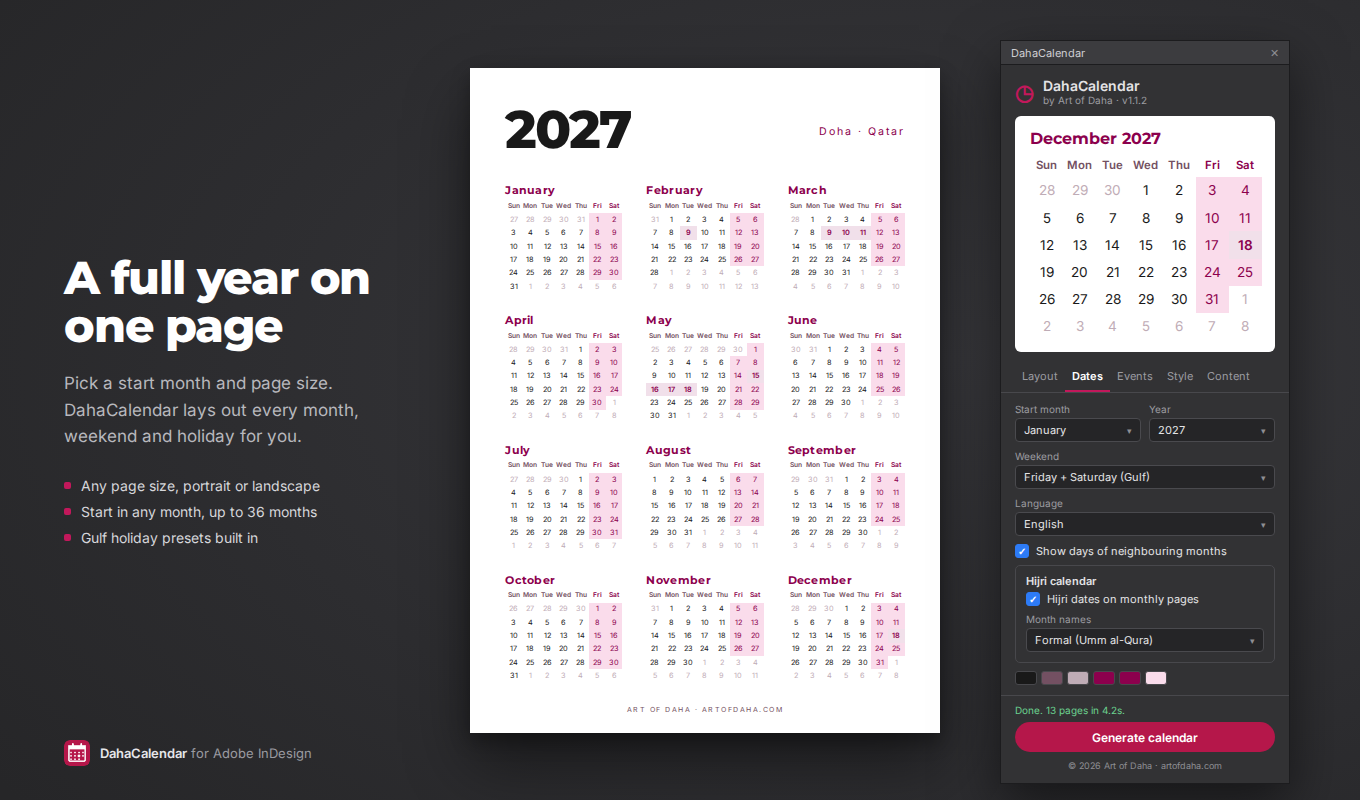 Plugin UI
Plugin Interfaces — After Effects, InDesign & Illustrator
Pending — to be added once a plugin is ready for public listing.
[Add visual evidence: A side-by-side of one manual workflow before automation against the same step after it, showing what the tool actually removes.]
Before / After Workflow Comparison
Pending — before/after comparison to be documented.
[Add visual evidence: A single diagram showing how the After Effects, InDesign, and Illustrator tools connect to the recurring production steps they remove — resizing, renaming, exporting, and consistency-checking.]
Production System Diagram
Pending — system diagram to be added.
Outcome / Potential Impact
- This work reduced time spent on repeated manual steps — resizing, renaming, exporting, and consistency-checking — across After Effects, InDesign, and Illustrator production files, freeing more of a working day for creative judgment rather than repetitive execution. No performance metrics are published here; this case study is presented as evidence of practical systems-thinking, not a measured before/after result.
Tools / Disciplines
What This Proves
Design Automation & Plugins proves that Daha's innovation is not only conceptual — it is practical. He can see where creative production slows down, understand the maker's pain, design a better workflow, and build tools that support execution rather than replace it. That combination of creative direction, hands-on craft, UX thinking, and automation is what separates advising on a workflow from actually fixing it.
More Case Studies

Personal Brand & Portfolio Platform 2026
Art of DahaFrom Artist Shopto Creative Leadership Platform
Rebuilding a personal website into a content-managed platform — information architecture, a custom CMS, and case-study-driven storytelling — built to argue for senior creative and innovation leadership, not just display it.
- Role
- Creative Director, Designer & Builder

Product Concept 2024
SpeakUpAn AI English-Speaking CompanionDesigned to Be Worn With Pride
A premium AI English-speaking companion — a small in-ear device paired with a companion app — designed to help people build spoken English confidence through guided practice, supportive correction, and progress feedback.
- Role
- Concept Creator & Product Designer